Task Management System vs Project Management Software: What's the Difference?
A clear, industry-agnostic breakdown of what each discipline is built for, with real examples from outside the tech world.
1. The Short Answer
"Task management system" and "project management software" get used interchangeably so often that most people assume they're the same thing. They're related, but they solve different problems — and picking the wrong one for your team's size and needs is one of the most common reasons software rollouts fail to stick.
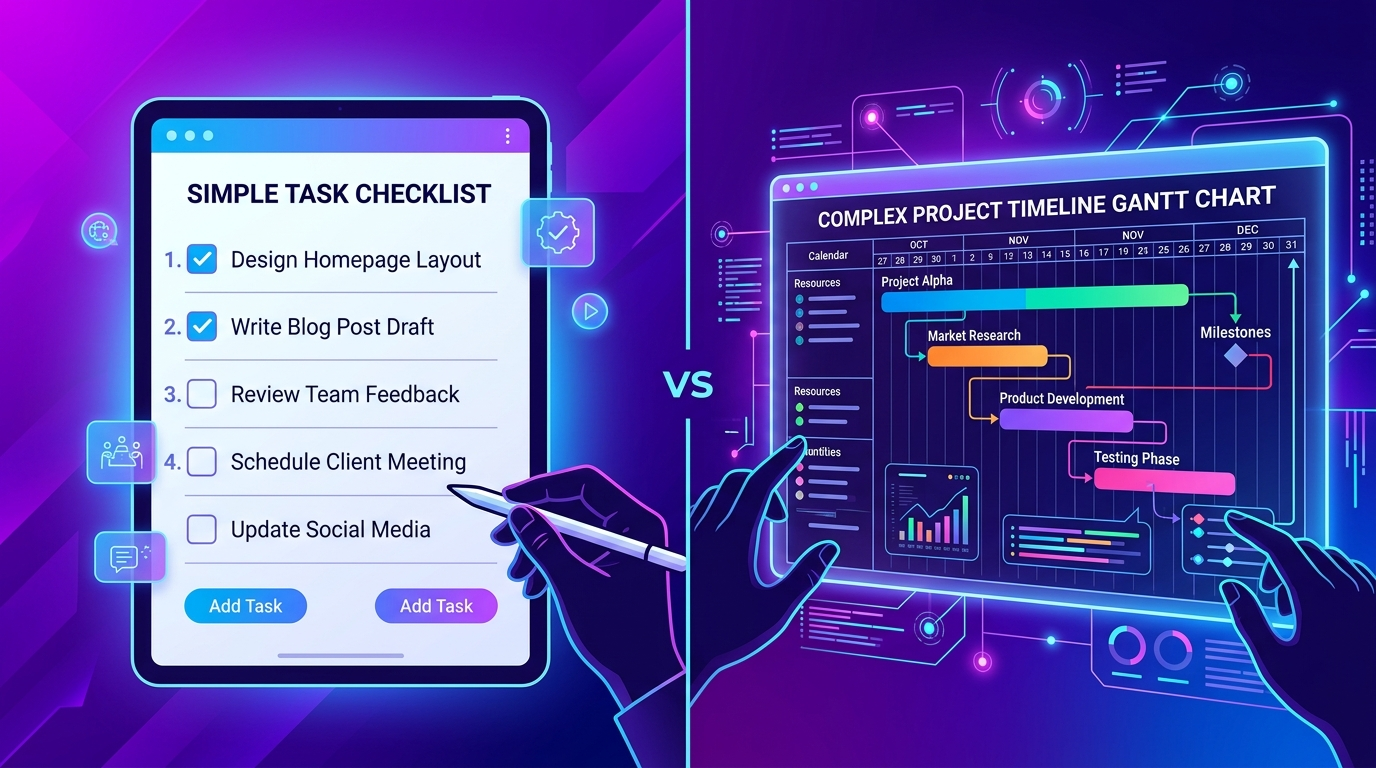
A task management system focuses on individual, assignable pieces of work — who's doing what, by when, and what status it's in right now. Project management software takes a wider view — it manages an entire initiative from start to finish, including timelines, budgets, resource allocation, dependencies between phases, and risk, with tasks as just one piece of that bigger picture.
A project is the destination ("open our third clinic location by Q3"), and tasks are the individual steps along the way ("finalize lease," "hire two nurses," "order equipment," "pass health inspection"). A task management system tracks those steps closely. Project management software tracks the whole journey — including whether you're on budget and on schedule to actually get there.
2. Task Management System: What It's Built For
A task management system is designed around day-to-day execution. Its core strengths:
- Clear Ownership: Of individual tasks, one owner at a time.
- Deadlines & Status Tracking: Not started, in progress, blocked, done.
- Follow-Ups & Comments: CC'd stakeholders on specific work items.
- Personal To-Do Views: Alongside team-assigned tasks.
- Approval Workflows: For individual sign-offs.
Best fit for: teams where the main challenge is "who's doing what and is it done yet" — retail operations, clinics, small agencies, back-office teams, and any team where work is recurring rather than one big initiative with a defined end date.
3. Project Management Software: What It's Built For
Project management software is designed around planning and overseeing something larger with a beginning, middle, and end. Its core strengths:
- Timelines & Milestones: And dependencies between phases.
- Budget & Resource Allocation: Across the whole project.
- Risk Tracking: And contingency planning.
- Portfolio-Level Reporting: Across multiple projects at once.
- Cross-Team Coordination: Where one team's delay affects another's start date.
Best fit for: teams running defined initiatives with a clear start and end — a construction build, a product launch, a store rollout across multiple cities, a compliance audit, or an office relocation.
4. Side-by-Side Comparison
| Task Management System | Project Management Software | |
|---|---|---|
| Scope | Individual tasks | Entire initiatives/projects |
| Time Horizon | Ongoing, day-to-day | Defined start and end |
| Core Question Answered | Who's doing this, and is it done? | Are we on track, on budget, on time overall? |
| Typical Users | Any team member | Project managers, department leads |
| Reporting Focus | Task status, overdue items | Timeline, budget, risk, resource load |
| Best For | Recurring operational work | Defined, multi-phase initiatives |
5. Real-World Examples Across Industries
Retail Chain
A task management system handles the recurring, store-level work — restocking, staff scheduling, compliance checks. Project management software would be used separately for something like "roll out a new POS system across 40 stores," which has a defined timeline, budget, and phased rollout plan.
Healthcare Clinic
Day-to-day patient follow-ups and equipment maintenance are task management. Opening a new clinic location — with leasing, hiring, licensing, and equipment procurement as phases — is project management.
Construction Firm
Daily site tasks (material orders, inspections, subcontractor check-ins) are task management. The overall building project, with its budget, phased milestones, and permit dependencies, is project management.
Marketing Agency
Individual content pieces and client approvals are task management. A full campaign launch — with a defined timeline, budget, and multiple coordinated workstreams — is project management.
6. Do You Need Both?
Most growing teams eventually need both — which is why many modern platforms blend the two rather than forcing a choice. A hybrid approach typically looks like:
Project-Level Organization
Grouping related tasks under a project with a timeline.
Task-Level Execution Within Each Project
Individual ownership, deadlines, and status.
Team-Wide Visibility
Rolling task-level data up into project-level reporting.
"Project-based organization" is often listed as a feature of task management tools — it's the bridge between the two disciplines without requiring separate software for each.
7. How to Decide What You Actually Need
Ask these three questions:
1. Is Most of Our Work Recurring, or Does It Happen in Defined Projects With a Start and End?
Recurring → task management is the priority. Defined initiatives → you need real project management features.
2. Do We Need Budget and Resource-Level Reporting, or Just Status Tracking?
If leadership needs to see "are we on budget," that's a project management requirement.
3. How Many People Need Visibility, and at What Level?
Individual contributors usually need task-level clarity; department heads and executives usually need project-level rollups.
AUM Task combines project-based organization with task-level ownership, workload views, and approvals — so growing teams don't need two separate tools.
Get Started for Free8. Frequently Asked Questions
What is the meaning of project management?
Project management is the discipline of planning, organizing, and overseeing a defined initiative — including its timeline, budget, resources, and risks — from start to finish, made up of many individual tasks.
Is a task management system enough for small teams?
Often, yes. Small teams with mostly recurring, non-phased work usually get everything they need from a solid task management system, especially one with project-based organization built in.
Can one tool do both task and project management?
Yes — many modern platforms combine task-level execution (ownership, deadlines, status) with project-level organization (timelines, grouped tasks, team workload views), which covers most small-to-mid-sized teams without needing two separate tools.
What's the biggest mistake teams make when choosing between the two?
Buying heavy, enterprise-grade project management software for a team that only has recurring, task-level work — leading to an overcomplicated tool nobody uses consistently.
9. The Takeaway
A task management system and project management software aren't competitors — they answer different questions at different altitudes. If your team mostly juggles recurring, assignable work, prioritize task management fundamentals. If you're regularly running defined initiatives with budgets and timelines, you need genuine project management capability. Many teams need a bit of both, which is exactly why "project-based task management" has become the practical middle ground for growing organizations.